During the school day, students are required to use their school-issued Chromebooks, which have certain safety limitations and restrictions.
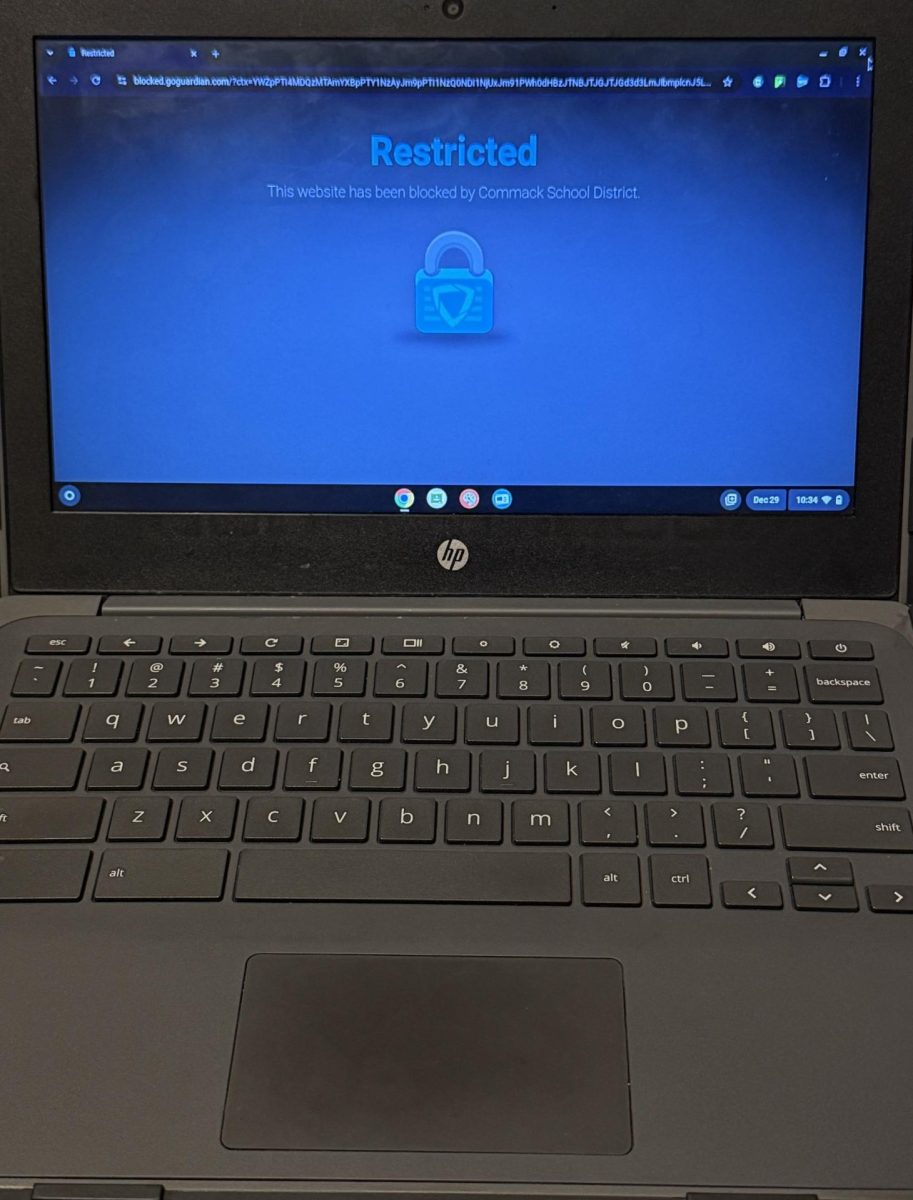
Chromebooks have been known to block websites that are not secure or inappropriate, but there are also blocked searches that students feel are school appropriate.
“I’m doing a project right now, and I’m doing it on Rihanna, the singer. I searched up her birthday and everything is blocked,” said senior Zainab B.
However, the school-issued Chromebooks have an automated system it follows for something to be inaccessible to students.
“We have two ways of filtering when it comes to the internet, and the first is the firewall, […] and that’s not just for the Chromebooks, that’s for all of our technology in the district. But, for the Chromebooks, we have something called GoGuardian, and GoGuardian is our more specific filtering when it comes to the Chromebooks and what students have access to on the web […] we don’t control how websites categorize themselves,” said Alise Pulliam, Executive Director of Innovation and Technology.
According to Justin King, Lead Teacher of Instructional Technology, the firewall blocks illegal and unsafe websites. in terms of viruses and malware.
GoGuardian manages school-issued student devices and it determines which websites are blocked based on a computerized system.
“In GoGuardian, it filters by categories. So you can put in specific websites that you want blocked, or you can block by category, which is the way that we typically block,” said Pulliam.
Teachers who use the internet as a learning tool have been affected with some blocked websites.
“In Biology, my teacher assigns us notes and we watch videos and we write them. We can’t watch any of the videos [on the Chromebook] because they’re blocked,” said Zainab.
The use of Chromebooks in a class facilitates communication between teachers and students, while helping out in the classroom.
“It’s a really good way to transfer information and documents between teachers and students. I like collecting things through the classroom so that students get to keep it. […] Sometimes there are labs we can’t do hands-on in the classroom, but we can access the simulation,” said King.
The utilization of Artificial Intelligence unlocks a new door for teachers using digital tools.
“It seems like more and more teachers are getting interested in using digital tools. [During] the past year or so, AI has become a big thing that we are both very hesitant about, but interested in, and maybe some people are a little excited about,” said King.
The newest GoGuardian update helps teachers determine if certain content is allowed and helps teachers to control what is blocked.
“Teachers have an option to check if a website will be blocked for students, ahead of time without having to find a student to try it. And there’s also a feature where when a teacher is running a session, whether they’re limiting students to certain websites or not, if they’re just monitoring the class, through the session, if students go to a website that’s being blocked by Go Guardian […] teachers will have the option to unblock that website for that session,” said King.
Sometimes, the Chromebooks glitch and block unblocked webpages students use daily.
“Sometimes, even when I try to go on to Google classroom, it says blocked.” said senior Bianca L.
Sources that students use for research are sometimes blocked as well.
“I feel that sometimes [the Chromebook is] useless if I can’t do research on it due to websites being blocked. It makes doing schoolwork difficult at times because I can’t access the links teachers provide. I feel the teachers are also struggling with the effects of websites being blocked,” said junior Sienna M., via text message.
The district must follow certain guidelines, regarding what students have access to, which ensures safety.
“The three major [laws and regulations] that we have to follow are FERPA, COPPA, and Ed Law 2d. In addition to these federal and state laws, we also have to follow Board of Education policy [for use of] the Chromebooks and the accounts are district devices, so the district is required to follow those requirements,” said Pulliam.
Many students have found it difficult to stay focused while utilizing the Chromebooks.
“I can’t get my work done half of the time because it’s so slow when it loads. I don’t like it,” said Bianca.
Although students may have used their personal devices prior to the state-wide cell phone ban, school-issued devices were encouraged.
“I started using my own device starting from ninth grade, but with the whole electronic ban, teachers are being mean about it,” said Bianca.
Some students, specifically seniors, have less advanced Chromebooks. The younger students have touchscreen devices that make it easier for them to use, while the seniors have the same Chromebook models they had in seventh grade.
“I hate [the device]. Especially because everyone else has the touchscreen [Chromebooks] and we have those non-touchscreen ones. It’s actually so bad,” said Zainab.
The school-issued devices struggle with speed and Wi-Fi connections. According to Sienna, she has faced issues with her Chromebook due to the device not being able to connect to the WiFi.
“I think [the Chromebooks are] good, but a little slow sometimes,” said Sienna.
While the Chromebooks face their challenges, they help students in and out of the classroom.
“They help me do schoolwork faster. Typing is more efficient than writing,” said Sienna.
Teachers have slowly started to adapt to using technology, while transitioning between paper-and-pen work and digital classwork.
“We have integrated technology in a great way where we’re educating and preparing students for the future in knowing how to have that balance between being on and off of the technology […] the main message I have from that is the balance of the idea of adopting the philosophy of digital wellness. We should not always be on a device all the time,” said Pulliam.